Instruction for removing Adobe Photoshop, Adobe Photoshop CS/CS2/CS3/CS4/CS5/CS6 and other similar Adobe products.
- Download and install Uninstall Tool.
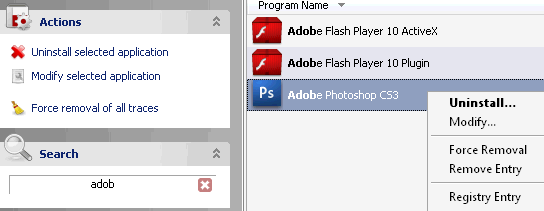
- Find Adobe Photoshop in the programs list (you can use search filter, just type "adobe" to find immediately all Adobe Products installed on your PC).
- Choose Uninstall selected application or double click on the item in the list.
- Carefully follow all uninstaller instructions and wait while uninstall process is finished.
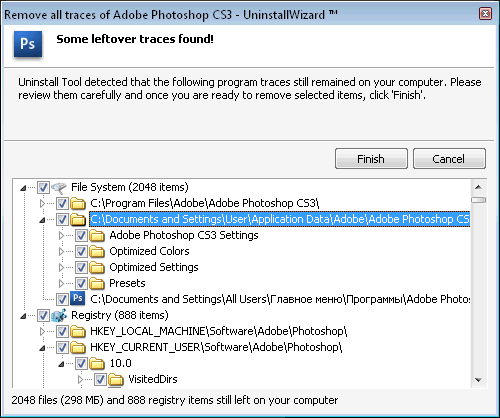
- Uninstall Tool will remove all leftover traces afterwards (using Uninstall Wizard technology).