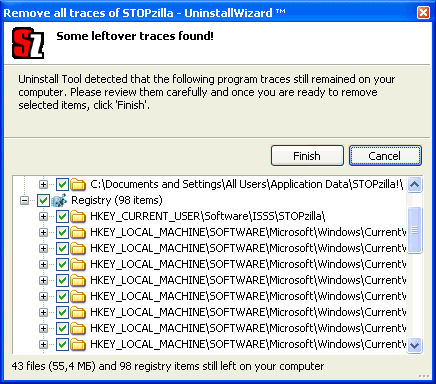
Many users complain of difficult removal process of STOPzilla Anti-Spyware product.
This 4-steps tutorial is a helper guide to simplify the removal.
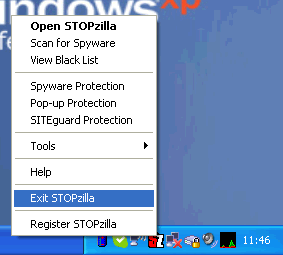
1. Disable all kinds of protection in STOPzilla - Spyware Protection, Pop-up Protection, SITEGuard Protection and quit (choost "Exit STOPZilla" from popup menu in system tray).
2. Download and install CrystalIDEA Uninstall Tool. Run it.
3. Find STOPzilla product in the programs list (simply use search filter, just type "stop" to find STOPzilla immediately). Choose the "Uninstall" action.
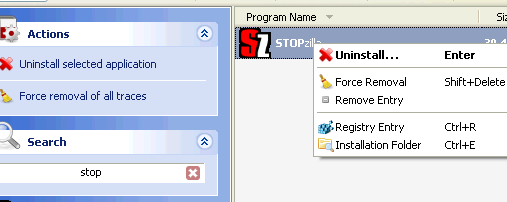
Carefully follow STOPzilla uninstaller instructions. If you're unable to run STOPzilla uninstall program because of restricted user rights, you may try "Force Removal" feature (on your own risk).
4. Uninstall Tool will remove all leftover traces afterwards (using Uninstall Wizard technology).